

Pre - installation Preparation
For Wireless Doorbell Kit to work properly, first, some essential preparations are necessary. You need to choose the right location: the Basic Wireless Doorbell transmitter should be installed in an area that is easy to trigger and away from interference zones. In terms of power supply, if using batteries, 3 pieces of 1.5V AAA batteries are required, and they must be inserted into the transmitter according to the positive and negative poles. At the same time, check if the batteries are faulty. If it is a self - generating mode, there is no need to worry about battery issues. Secondly, prepare a Phillips screwdriver to unscrew the battery cover and install the batteries.
II. Pairing Work
Wireless doorbell for office do not require wiring, which saves a lot of time. How does it work? It works by establishing a signal link through pairing, so pairing is a very important task. If you forget to pair, the doorbell will not work. First, power on the receiver and connect it to the power supply. Find the pairing button on the receiver, press and hold this button. When you hear a "ding - dong" sound, press the transmitter once. At this time, the transmitter will make a "beep" sound, indicating that the pairing is successful. After the link is established in this way, the doorbell can work normally.
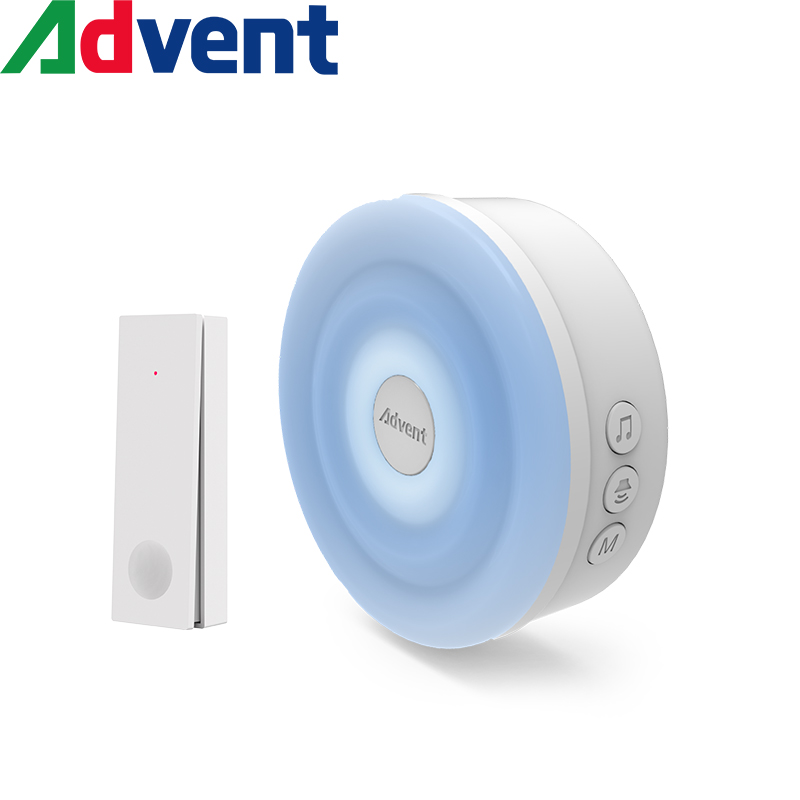
III. Daily Settings
After successful pairing, to make the doorbell work more accurately, you can set the volume of the receiver and the music mode. Remember that if you previously adjusted it to mute to avoid disturbing the children, you must adjust it back. Otherwise, you may think that the doorbell is not ringing and is working abnormally.
IV. Common Faults
(1) Check the power supply: whether the batteries are dead, whether the positive and negative poles are reversed, whether the USB interface is not plugged in tightly, and whether there is a power outage at home.
(2) Re - pair: follow the pairing steps again to eliminate signal interference problems.
(2) Re - pair: follow the pairing steps again to eliminate signal interference problems.